


Skip to content

Premium IPTV | WhatsApp activation

Your favorite channels, ready in 2 minutes

Order, get your access on WhatsApp, and start watching in HD & 4K on any screen — risk-free with a 30-day money-back guarantee.

Instant WhatsApp activation Secure payment 30-day money-back Works on every device

Activation

2 minutes

Channels

50,000+

Support

AI + Live
AI Guide

WhatsApp Concierge

Smart prefilled messages, plan recommendations, setup support, and renewals through a WhatsApp-first lead funnel.

Language

EN / FR / AR

Devices

Smart TV, Android, iOS

Free trial

Start your free IPTV trial

Enter your WhatsApp and we’ll send your trial access in minutes. No card required.

Plans built for high retention

Subscription packages for every streamer.

Choose the premium package that matches your streaming goals, then add it to your cart and finish in two steps.

View cart

1 Month

1 Device

EUR8.00 / 1 month
  • +140,000 Channels and VODs
  • 4k Ultra HD Quality
  • Anti-Freeze Technology
  • 24/7 Active support

1 Month

EUR8.00

Order now

1 Month

2 Devices

EUR12.00 / 1 month
  • +140,000 Channels and VODs
  • 4k Ultra HD Quality
  • Anti-Freeze Technology
  • 24/7 Active support

1 Month

EUR12.00

Order now

1 Month

3 Devices

EUR16.00 / 1 month
  • +140,000 Channels and VODs
  • 4k Ultra HD Quality
  • Anti-Freeze Technology
  • 24/7 Active support

1 Month

EUR16.00

Order now

30-day money-back

Not happy? Get a full refund within 30 days — no questions asked.

Instant activation

Login credentials delivered in minutes via WhatsApp after purchase.

Secure payment

Encrypted checkout. Your payment details are never stored or shared.

24/7 support

Real humans plus AI assistance, any time you need help.

Streaming categories

Feel the full spectrum of entertainment

Live sports, blockbuster movies, premium series, global news and kid-safe channels — all delivered with low latency and perfect picture.

Sports

Live matches in HD & 4K

Soccer, basketball, racing, MMA and more with multi-angle streams and instant channel switching.

Movies

Blockbusters on-demand

Curated Hollywood and international movies with instant playback and smart recommendations.

Series

Premium series collections

24/7 premium channels, drama collections and binge-ready packages for every mood.

Kids

Family-safe channels

Child-friendly content with parental control and fuss-free scheduling for happy family viewing.

International

Global channels

Access more than 20 countries with premium foreign-language channels and news feeds.

News

24/7 news coverage

Always-on breaking news, sports updates and business feeds for reliable live information.

All your devices

Works on every screen you own

From smart TVs to smartphones, we support the devices you already use with easy setup guides and instant playback.

Smart TV

Android TV, Samsung Tizen, LG WebOS and Firestick ready.
Mobile

iOS and Android apps plus browser streaming for fast mobile access.
PC & Mac

Chrome, Edge, Safari and desktop players supported.
Set-top

Perfect for MAG, Formuler, Android boxes and IPTV boxes.

Performance & reliability

Built for flawless, uninterrupted streaming

Premium servers, adaptive bitrate and encrypted multi-region delivery — engineered for stable HD and 4K on any screen, anywhere.

0.8s

Average channel load time

Adaptive

Smart bitrate for steady HD/4K

Global

Worldwide multi-server delivery

Encrypted streaming

Token-based access and protected channel delivery.

Auto failover

Multi-region servers keep playback smooth at peak hours.

Anti-freeze delivery

Optimised routing reduces buffering on every device.

Why trust us

A premium IPTV service built on reliability and real support

Operating since 2019, we deliver thousands of live sports, movie and series channels in HD and 4K to viewers worldwide. Our focus is simple: stable streams, instant activation, and support that actually answers.

Every subscription is backed by a money-back guarantee, encrypted streaming across multiple failover servers, and a support team you can reach over WhatsApp at any hour. No contracts, no lock-in — just premium television on the devices you already own.

  • Money-back guarantee on every plan
  • Multi-server delivery with anti-freeze technology
  • Daily channel updates and broken-link fixes
  • Transparent pricing — no contracts, cancel anytime

7+ yrs

Serving customers

50,000+

Live channels

HD/4K

Streaming quality

24/7

Human + AI support

Customer reviews

Trusted by viewers worldwide

Our service is designed for fast installs, reliable streaming and expert help whenever you need it.

★★★★★

Crystal-clear picture

"The channel lineup is amazing, and the support team answered every setup question in minutes."

Amira Dubai

★★★★★

Perfect for families

"My home theater and kids' devices all work with one subscription — setup was fast and easy."

Jonas Madrid

★★★★★

Zero buffering

"The streams stay stable even during peak hours, and the customer care is excellent."

Nina London

As featured in
AI support

AI-powered support that feels human.

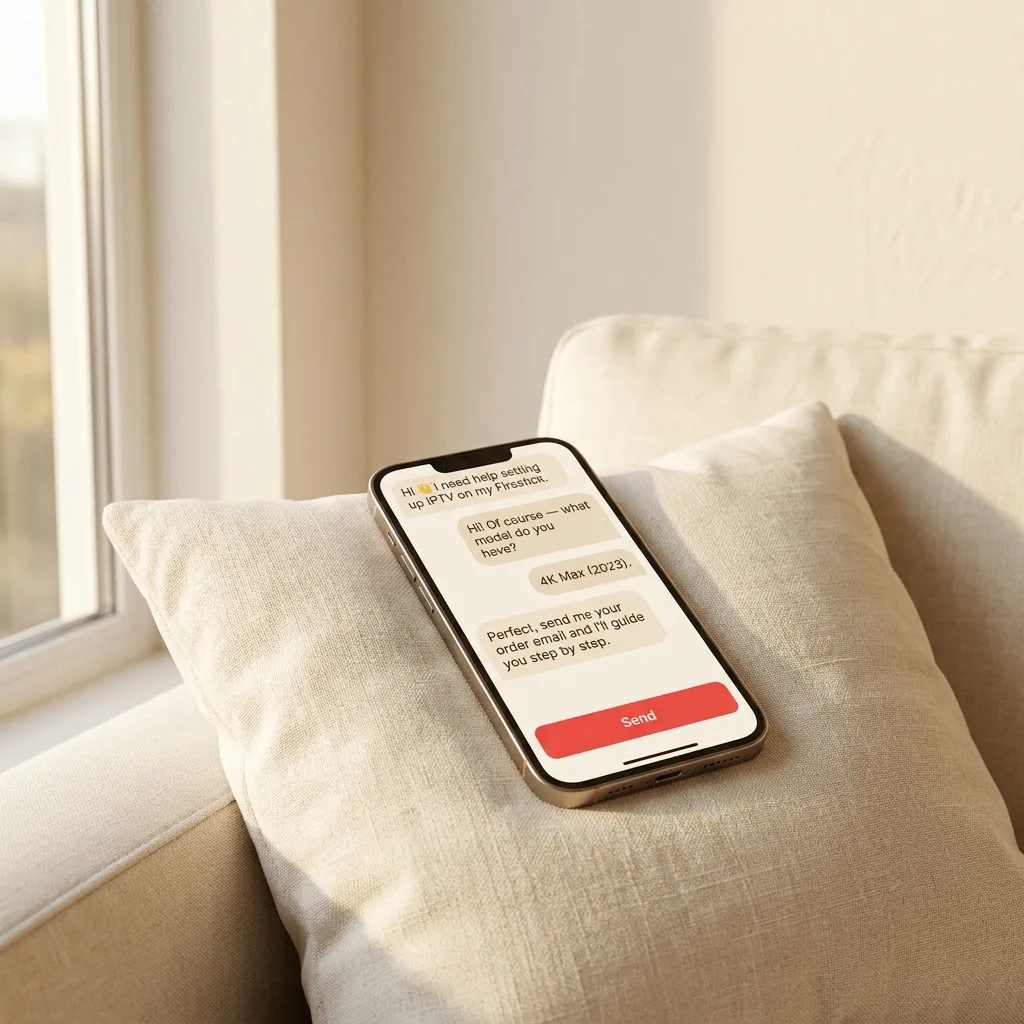
Our AI WhatsApp assistant answers FAQs instantly, recommends plans, delivers setup guides, and escalates hot leads to real experts in seconds.

Multi-language

English, Arabic, French

Lead qualification

Fast, accurate, conversion-first
What the AI does

  • • Answers questions instantly
  • • Recommends the right IPTV plan
  • • Sends device setup guides
  • • Escalates urgent leads

WhatsApp automation

The premium funnel is built around chat-first activation, using predefined messages and smart lead routing.

Why switch

IPTV vs. cable & satellite

See how premium IPTV compares to a traditional TV subscription on price, choice and flexibility.

Feature pocktv.com Cable / Satellite
Monthly cost
From a few $ / month
$50–$130+ / month
Channels
50,000+ live channels
Limited regional packages
On-demand movies & series
Large VOD library included
Extra paid add-ons
Setup time
Minutes, no hardware
Days, technician visit
Contract
No contract — cancel anytime
12–24 month lock-in
Devices
Any: Smart TV, phone, Firestick, PC
Set-top box only
4K Ultra HD
Yes, where available
Premium tiers only
International channels
Included worldwide
Costly add-ons

Frequently asked

Everything you need to know about IPTV.

The most common questions from our customers — about devices, billing, channels and setup, answered clearly.

What is IPTV? +

IPTV (Internet Protocol Television) is the future of television, offering more flexibility, better quality, and an extensive range of entertainment options. Unlike traditional cable or satellite TV, IPTV uses the internet to stream live channels, on-demand movies, series, and sports events in HD and 4K.

  • Access thousands of live TV channels worldwide
  • Enjoy unlimited movies and series with our VOD service
  • Watch your favorite shows anytime with the replay feature
  • Avoid expensive cable subscriptions and experience smooth, high-quality streaming
How does IPTV work? +

IPTV works by transmitting TV programs over an internet connection instead of traditional satellite or cable. You just need a stable internet connection and a compatible device such as a Smart TV, PC, smartphone, tablet, or IPTV box to start watching instantly.

What devices are compatible with IPTV? +

Our IPTV service is compatible with various devices, including:

  • Smart TVs (Samsung, LG, Sony, etc.)
  • Android & iOS devices (Phones & Tablets)
  • PC & Mac (Web & software players)
  • IPTV Boxes (MAG, Firestick, Nvidia Shield, etc.)
  • Gaming Consoles (Xbox, PlayStation)
How fast does my internet need to be for IPTV? +

The recommended internet speed depends on the video quality:

  • HD (720p): Minimum 5 Mbps
  • Full HD (1080p): Minimum 10 Mbps
  • 4K Ultra HD: Minimum 25 Mbps

For the best experience, use a wired connection or a strong Wi-Fi signal.

Do I need a VPN to use IPTV? +

A VPN (Virtual Private Network) is not required, but it is highly recommended to:

  • Protect your privacy and data
  • Bypass ISP throttling and improve streaming speed
  • Access IPTV from any country without restrictions

For the best performance, use a premium VPN with fast servers.

Can I use IPTV on multiple devices? +

Yes, you can install IPTV on multiple devices, but you can only watch on one device at a time per subscription. If you need multi-device access, you can purchase additional connections.

How do I set up IPTV on my device? +

Setting up IPTV is simple:

  • Install an IPTV app (e.g., IPTV Smarters, TiviMate, Smart IPTV)
  • Enter the M3U playlist URL or Xtream Codes provided after subscription
  • Save the settings and restart the app
  • Start watching your favorite channels and VODs!

If you need help, our support team is available 24/7.

What happens if my IPTV is not working? +

If you experience issues with IPTV, try these steps:

  • Restart your router and device
  • Check your internet connection speed
  • Ensure your IPTV app is updated
  • Try a different IPTV player
  • Contact support if the problem persists

We provide 24/7 technical assistance to ensure the best service.

Is IPTV legal? +

IPTV is 100% legal when used with authorized providers that have broadcasting rights. Always choose a trusted IPTV service to avoid legal issues.

Can I watch IPTV while traveling? +

Yes! You can watch IPTV from anywhere in the world as long as you have a stable internet connection. If you encounter restrictions in certain countries, using a VPN can help you bypass them.

Can I record IPTV content? +

Some IPTV apps and devices allow recording of live TV and VOD content. Check if your IPTV player supports recording or use a DVR-enabled app.

Does IPTV have subtitles and multiple audio options? +

Yes, many IPTV providers offer subtitles and multi-audio options. You can activate them directly from the player settings if available.

Why do some channels buffer on IPTV? +

Buffering can be caused by:

  • Slow or unstable internet connection
  • High server load on the IPTV provider
  • ISP throttling (use a VPN to fix this)
  • Using an overloaded IPTV app

For a smooth experience, ensure a fast and stable internet connection and restart your router if needed.

Can I share my IPTV subscription with others? +

Most IPTV subscriptions are limited to one device at a time. If multiple connections are needed, you can purchase an additional plan.

What should I do if I lose my IPTV login details? +

If you lose your IPTV login details, contact our support team with your purchase details, and we will resend your credentials.

Do IPTV services include PPV (Pay-Per-View) events? +

Yes, our IPTV service offers PPV events such as UFC, boxing, and WWE. These events are available in real-time and often included in premium packages.

How often are IPTV channels updated? +

We update our channel list daily to ensure access to the latest content, fix broken links, and add new channels as they become available.

What happens if a channel stops working? +

If a channel stops working, try these steps:

  • Restart your IPTV app
  • Try another channel to check if the issue is isolated
  • Ensure your internet connection is stable
  • Contact support if the problem persists
Can I watch IPTV on Apple TV? +

Yes! You can watch IPTV on Apple TV using apps like IPTV Smarters, GSE Smart IPTV, or TiviMate.

How do I renew my IPTV subscription? +

Renewing your IPTV subscription is simple:

  • Visit our website and go to the Renew Subscription page
  • Select your desired plan and complete the payment
  • Receive your renewed access instantly via email

For assistance, contact our support team.

Can I watch IPTV on Roku? +

Yes! You can watch IPTV on Roku, but since Roku doesn’t natively support M3U playlists, you need to use an alternative method:

  • Use the Screen Mirroring feature from your smartphone or PC
  • Install the Roku Media Player and link it to an IPTV server
  • Use third-party apps like M3U Player for Roku (if available)

For a seamless experience, we recommend using an Android-based device or Firestick.

How do I set up IPTV on Roku? +

Since Roku does not support IPTV apps directly, follow these steps to set up IPTV:

  • Install the Web Video Caster app on your smartphone
  • Add the Web Video Caster Receiver on Roku
  • Enter your IPTV playlist (M3U URL) in the Web Video Caster app
  • Cast the stream to your Roku device

For a smoother experience, consider using an Android TV box or Firestick.

Why doesn’t my IPTV work on Roku? +

If your IPTV is not working on Roku, check the following:

  • Ensure your internet connection is stable
  • Make sure your IPTV provider’s M3U link is active
  • Restart your Roku and the IPTV casting app
  • Try using a VPN if your ISP is blocking IPTV

If you still have issues, consider using a different device like a Firestick or Smart TV for better compatibility.

Explore pocktv.com

View plans